Alcedo · Platform previewBuilt for restaurant and bar teams
02 Field notes — Discover Alcedo
Clear information. A more prepared team.
Explore how Alcedo connects restaurant workflows, knowledge, and assistance. Discover the platform: what is available today and what is coming next.
Available
In the Alcedo application today.
Coming soon
In development; not yet available.
01Operations
Daily Operations
The everyday modules of the current application, shared across the team. What each person sees follows their role.
InventoryItems, locations and movements, with stock shown from verified counts.
PurchasingDraft, approve and receive orders. Nothing is sent to suppliers automatically.
RecipesA recipe library that shows what can be made from verified stock.
Stock CountPhone-first counting, one item at a time. Stock changes after a manager verifies.
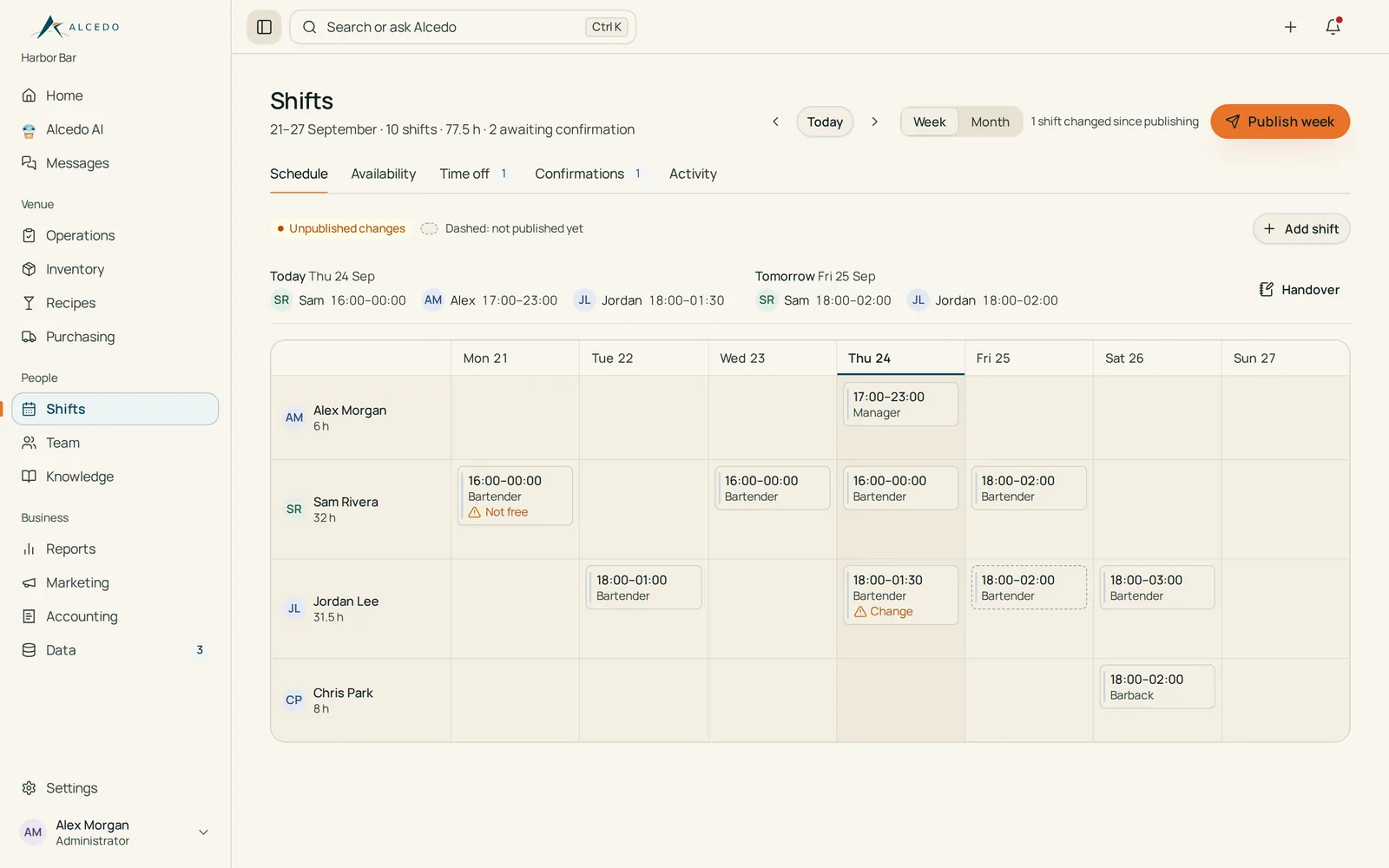
ShiftsPlan and publish schedules; staff confirm shifts and request time off.
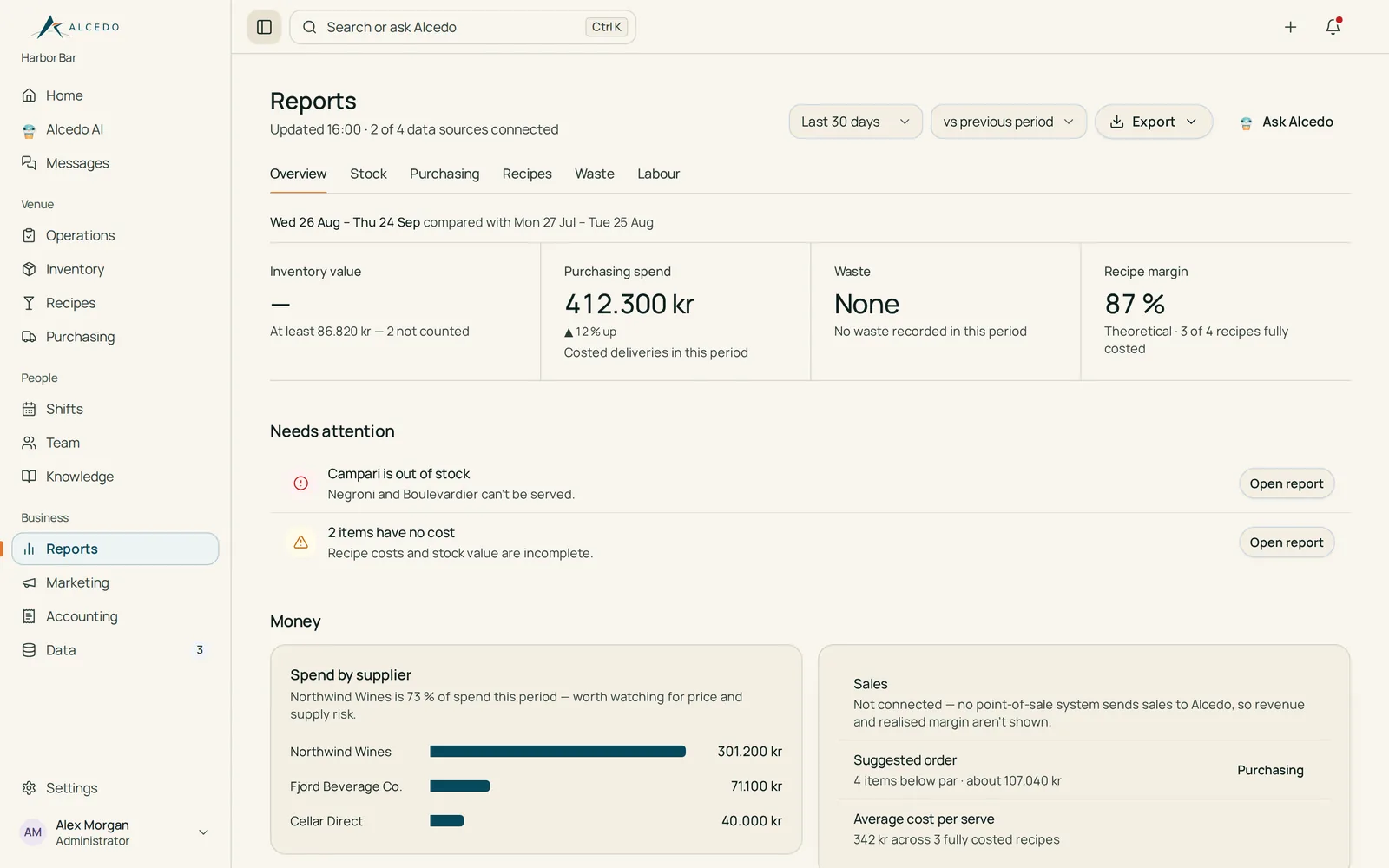
ReportsStock, purchasing, recipes, waste and labour. Sales data is not connected.
BookingsComing soon
Available
Purchasing and Reports are for managers and administrators.
Try it · tonight’s opening checklist
2/4
2 of 4 done · opens at 17:00
02Assistance
Alcedo AI
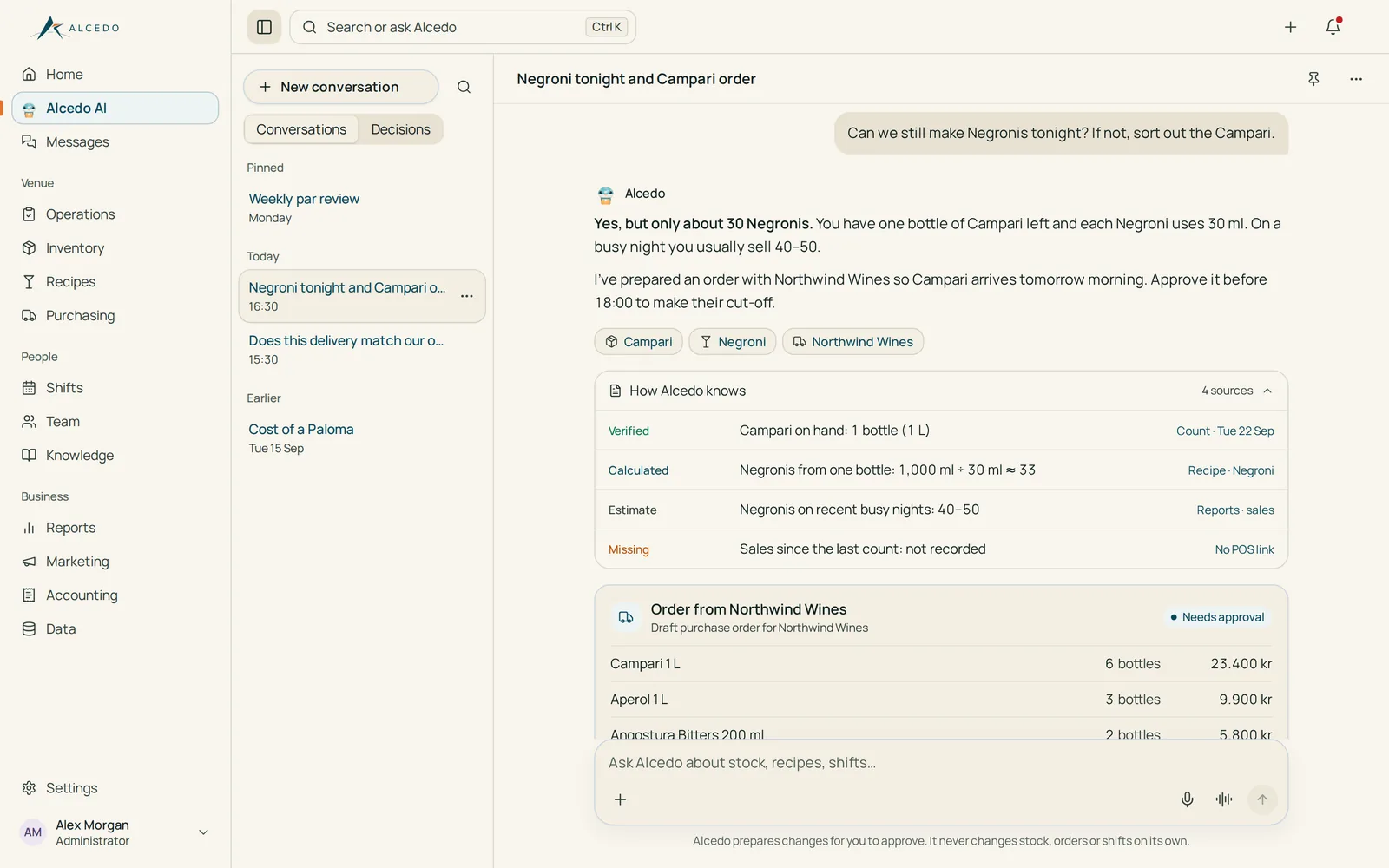
Ask by text or voice, or add a photo or document. It answers from your venue’s records and prepares drafts — orders, counts, recipes — for a person to approve.
Text
Voice
Photos & files
Available
Mascot demonstration · not connected to the assistant
Ready to help
03Ingredients
Food Intelligence
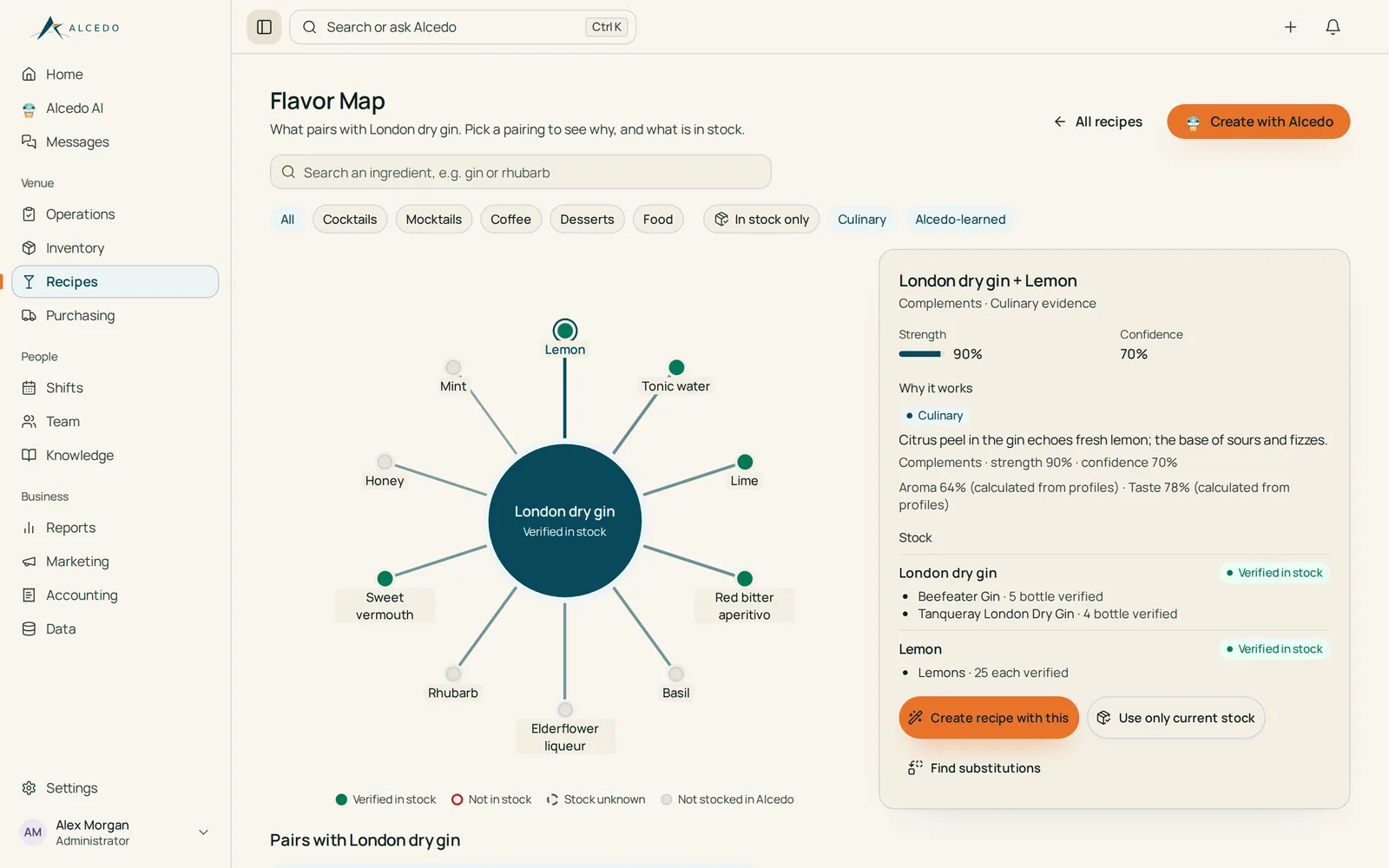
A Flavor Map of ingredient pairings, each labelled with where it comes from, plus substitutes and ideas based on verified stock. Recipe drafts stay inactive until a manager approves them.
Available
Flavor Map · illustration with sample data
London dry gin
London dry gin + LemonCulinary pairing · in stock
In stock
Not in stock
Stock unknown
04Learning
Training & Knowledge
Alcedo Training: managers publish short video lessons with steps, aimed at the right roles; staff watch, resume and mark lessons complete. Knowledge: a searchable library with required reading.
Alcedo Training — available
Knowledge library — available
Try it · sample lesson
Stirred classics: Negroni
Chill the glass
Measure 30 / 30 / 30 ml
Stir for 30 seconds
Express the orange peel
4 steps · about 5 minutes
03 Inside the workspace
See the modules as they are today.
Screenshots from the Alcedo application running against built-in test data: every name, quantity and price is sample data, not a real venue’s records.
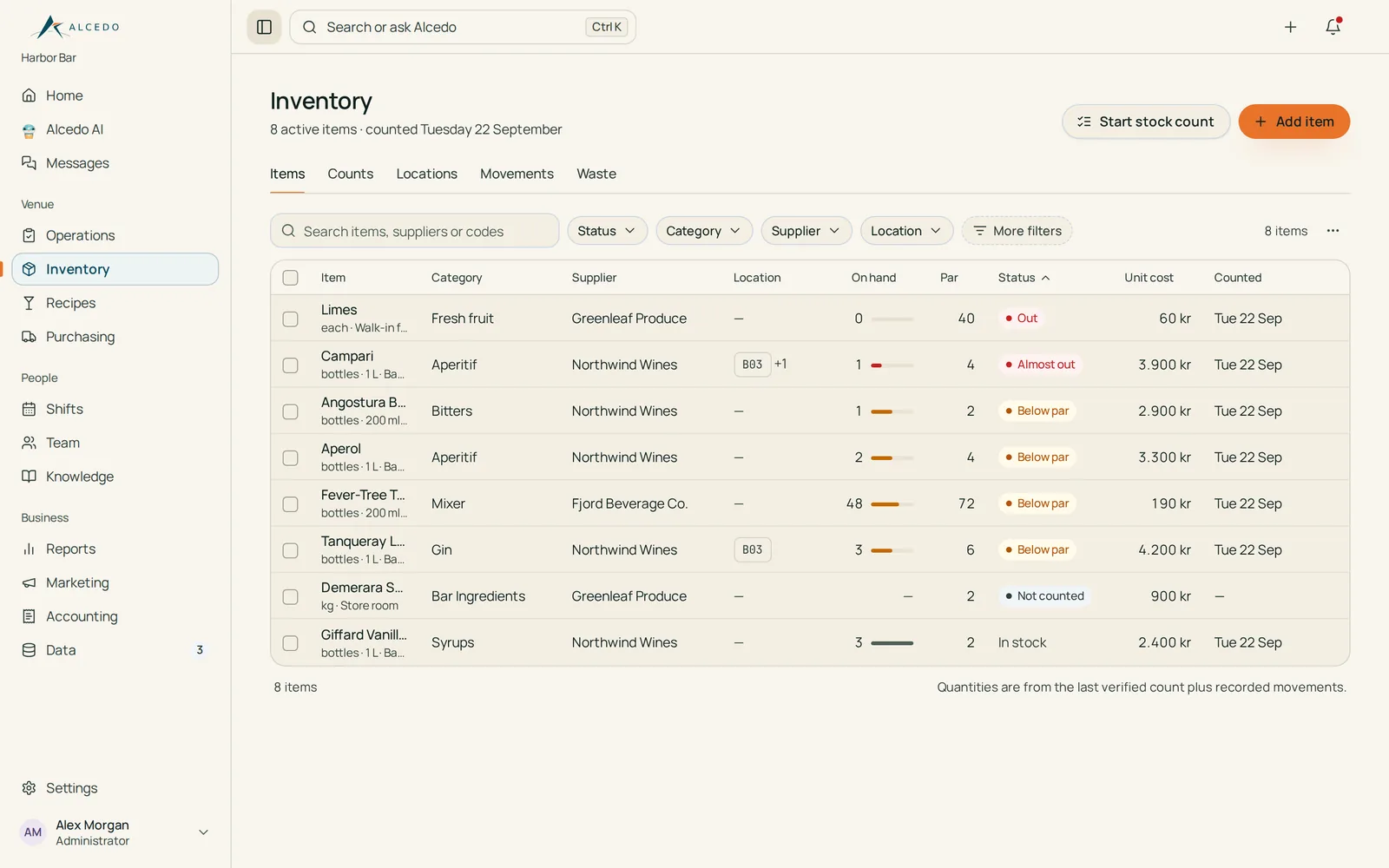
Inventory
Know what is on hand before service.
Items by location, category and supplier
Stock taken from the last verified count plus recorded movements
Par levels flag what is low or out
Available
Sample dataAlcedo application · built-in test data
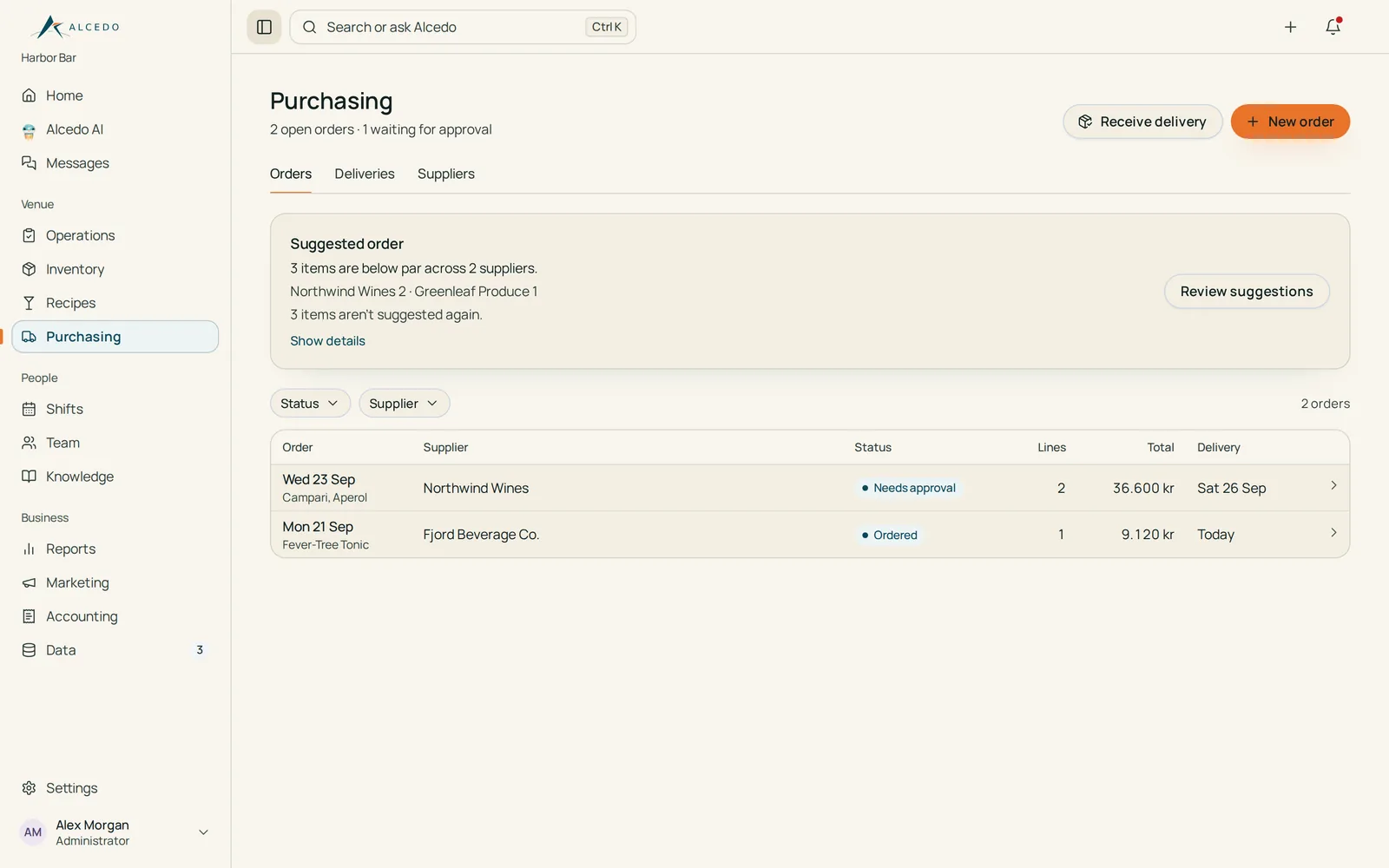
Purchasing
Orders that a person approves.
Suggested orders from items below par
Approve, mark as ordered and receive deliveries
Nothing is sent to a supplier automatically
Available · managers and administrators
Sample dataAlcedo application · built-in test data
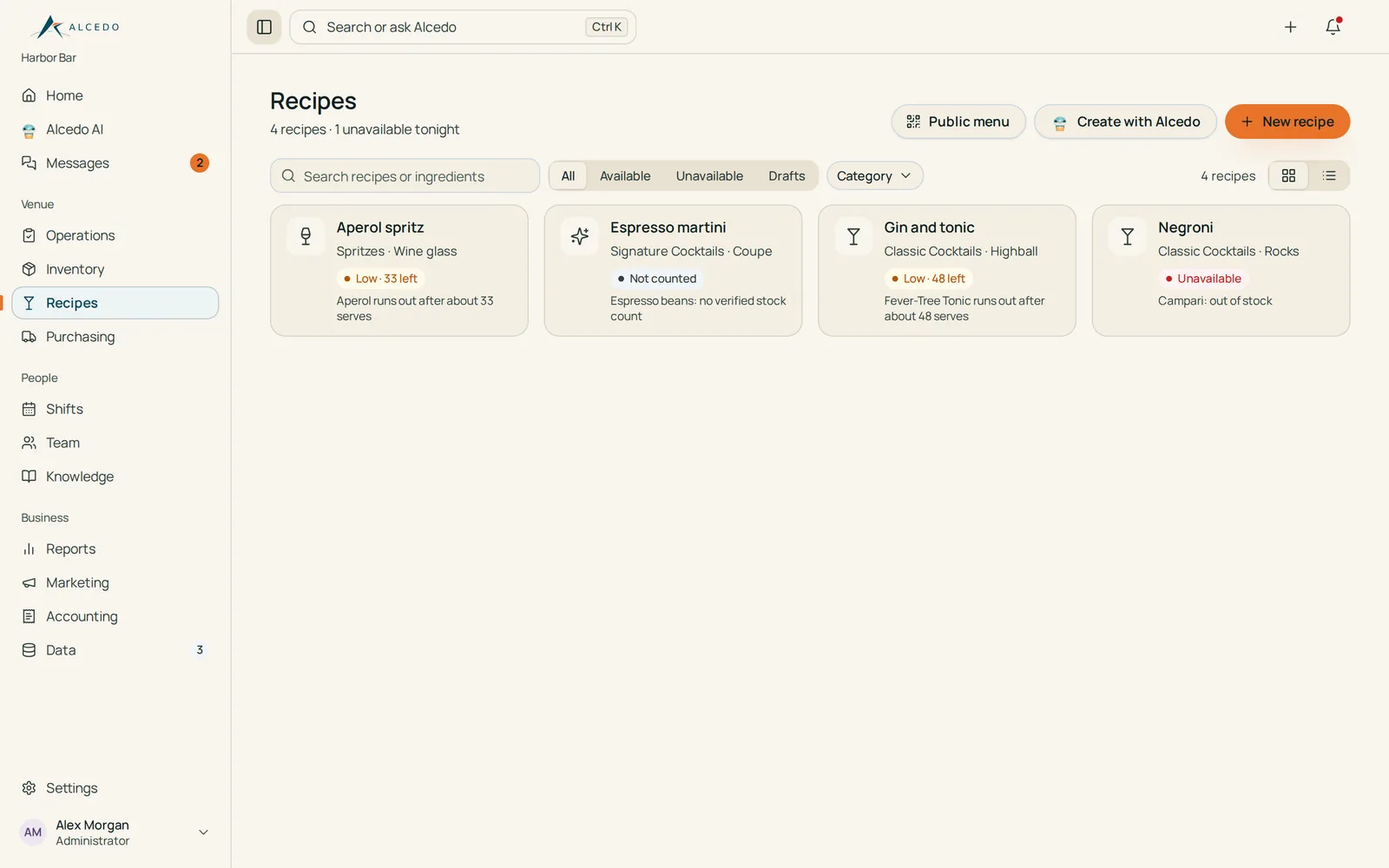
Recipes
See what you can make tonight.
Recipe library by category
Availability worked out from verified stock
Costs visible to managers only
Available
Sample dataAlcedo application · built-in test data
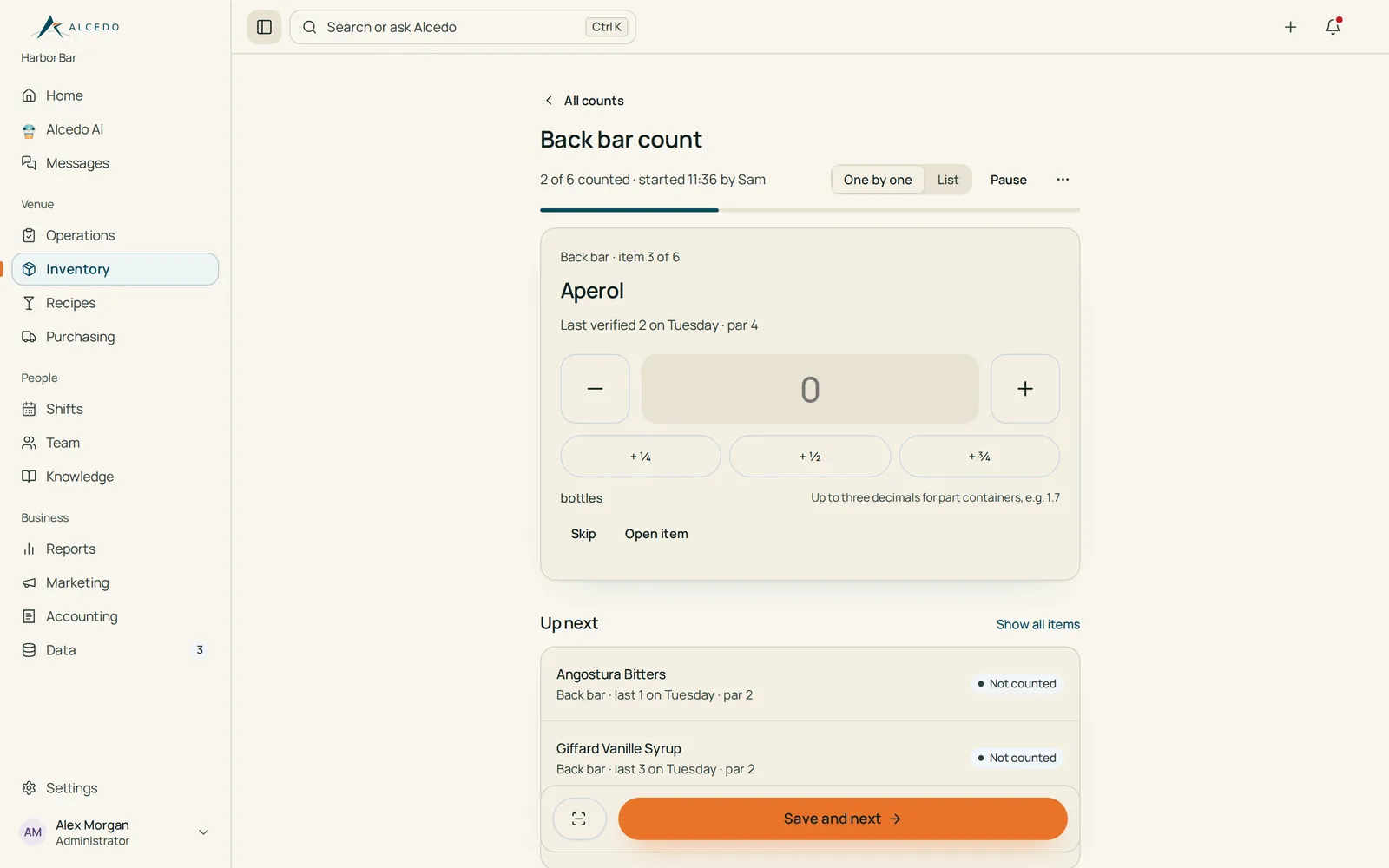
Stock count
Count on a phone, one item at a time.
Guided counts by area
Quick part-bottle entries
Stock changes only after a manager verifies the count
Available
Sample dataAlcedo application · built-in test data
Shifts
A schedule everyone can see.
Week and month planning, published when ready
Staff confirm shifts, share availability and request time off
Changes after publishing are highlighted
Available
Sample data · fictional staffAlcedo application · built-in test data
Reports
A clear view of stock and spend.
Overview, stock, purchasing, recipes, waste and labour
Items that need attention
Sales are not connected (no point-of-sale link)
Available · managers and administrators
Sample dataAlcedo application · built-in test data
Alcedo AI
Ask, check, then approve.
Text, voice, photos and documents
Answers show the records they are based on
Prepares drafts; a person approves every change
Available
Scripted demonstration · sample dataAlcedo application · built-in test data
Food Intelligence
Pairings grounded in what you stock.
Flavor Map of ingredient pairings with their sources
Substitutes and ideas from verified stock
Recipe drafts saved inactive until a manager approves
Available
Sample dataAlcedo application · built-in test data
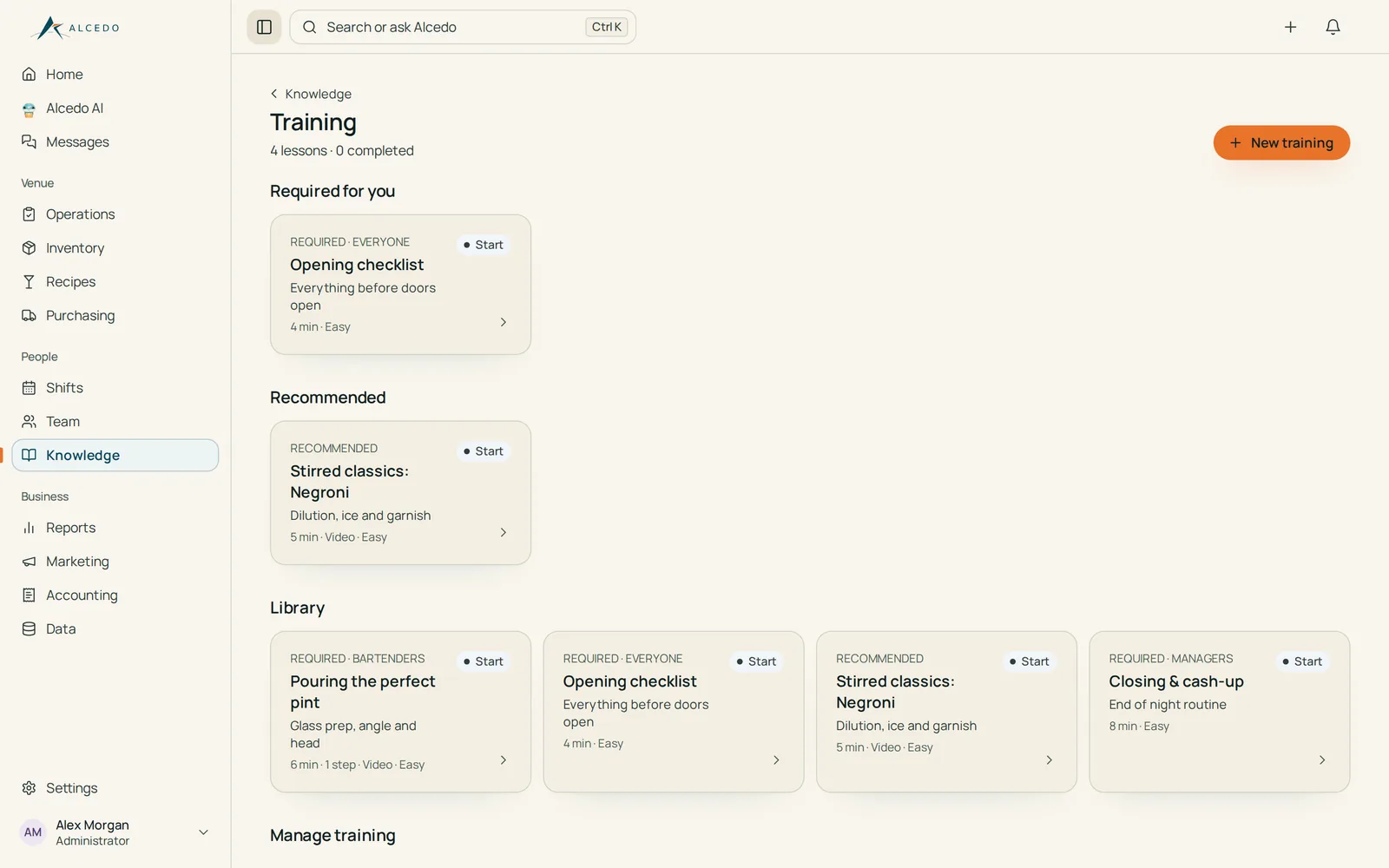
Alcedo Training
Short lessons for every role.
Video lessons with steps, aimed at roles
Staff resume and mark lessons complete
Managers see who has completed each version
Available
Sample lessonsAlcedo application · built-in test data
Choose your route
For staff
Get ready for your next shift.
Read how Alcedo supports daily work, training and team knowledge.
Sign in to the existing application with your staff account.